Tech updates
Share this

by Techupdate on Jun 15, 2026, 12:01:59 PM
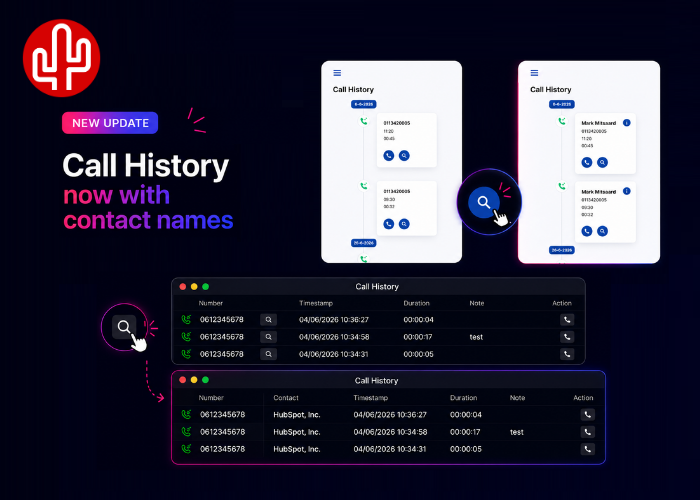
A highly requested feature is now available in all Bubble365 and Bubble Desktop applications: displaying CRM contact names within Call History. Until now, Call History only displayed phone numbers. Many users indicated that they would prefer to immediately see which contact was associated with a call, without having to recognize or look up the phone number first.
At first glance, this may seem like a straightforward feature. In reality, however, it presented a significant challenge. At Red Cactus, we believe that CRM data should always remain in the source system. That's why we do not store CRM contact data within our own platforms. This approach ensures that our CRM integrations remain GDPR-compliant and prevents unnecessary duplication of personal data. Many solutions address this challenge by storing CRM contacts locally or synchronizing them to an external database. While that makes displaying contact names relatively simple, it does not align with our vision of privacy and data protection. You can read more about this approach in our article on GDPR-compliant CRM integrations.
Despite these challenges, we wanted to give users the ability to view contact names directly within Call History. To achieve this, we developed a solution that retrieves contact information only when requested. When you click the magnifying glass icon in Call History, the contact name is retrieved in real time from the connected CRM system and immediately displayed within the application. The data is not stored, ensuring that the solution remains fully aligned with our privacy and security principles. This approach combines usability with data protection: users can instantly see who they spoke with, while CRM data continues to remain exclusively within the source system.