Tech updates
Share this
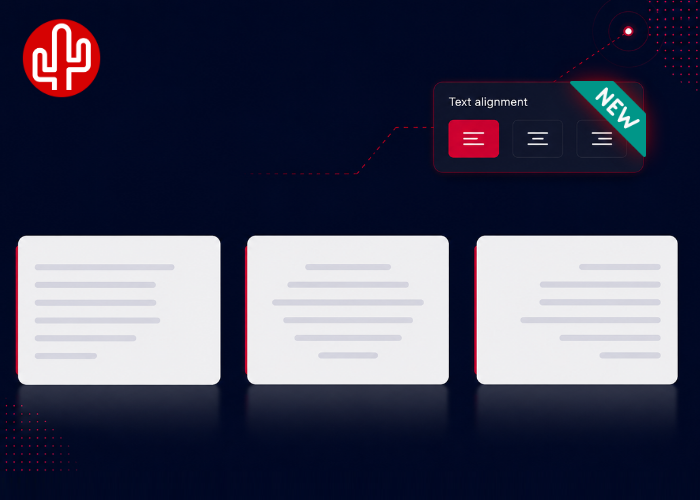
With the introduction of Bubble Version 5, we have brought many elements of Bubble Desktop and the Bubble365 Apps closer together. From Version 5.1, we are adding another new option: Text Alignment. This allows you to decide how the content of Bubble notifications is aligned.
Left, middle or right
Until now, text alignment depended on the application you were using. In Bubble Desktop, notification content was aligned to the left by default, while in our Bubble365 Apps, content was aligned in the middle by default. To keep the transition from Bubble Desktop Version 4 to Version 5 as familiar as possible, we decided not to simply change the default alignment. Instead, users can now choose for themselves: left, middle or right.
Also available for all Bubble365 Apps
Bubble Version 5 also forms the technical foundation for Bubble Cloud. As a result, Text Alignment is automatically available for our Bubble365 Apps as well. Where notification content in these apps was previously aligned in the middle by default, you can now choose to align it to the left or right as well. This allows you to choose the layout that best suits your organisation and the information you want to display in a notification.
Where can you find Text Alignment?
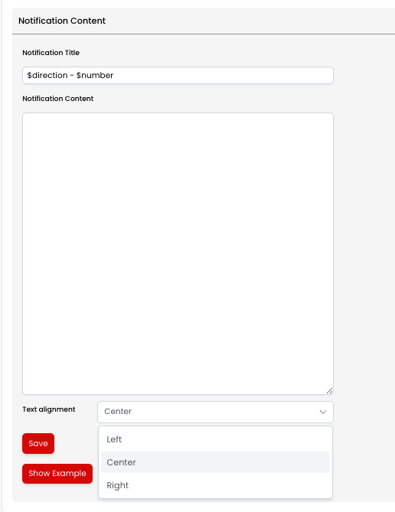
Running Bubble Version 5.1? You will automatically find the new Text Alignment setting in the Webconfigurator under "Popup Content". Prefer to configure Bubble Desktop locally? You will find the same setting in the local configuration environment of Bubble Desktop Version 5.1. Here, you can simply choose whether you want the content of your notifications aligned to the left, in the middle or to the right.