Tech updates
Share this

by Techupdate on Aug 19, 2026, 4:51:00 PM
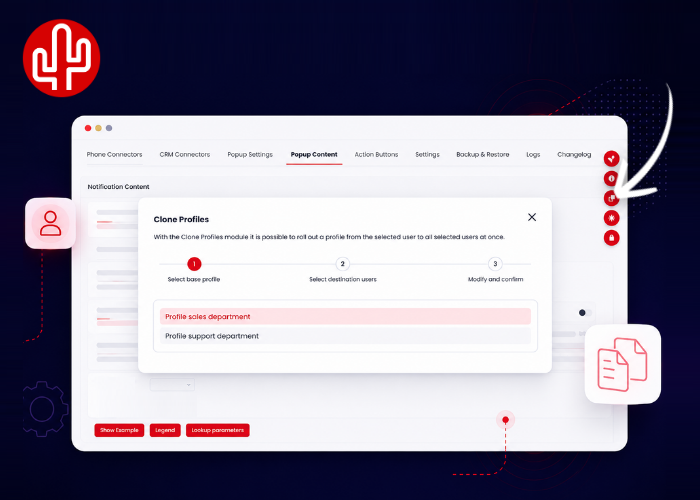
Configuring and rolling out integrations across an entire organization just became even easier. The Clone Profile functionality is now available directly in the Red Cactus Web Configurator. Previously, Clone Profile was only available through the Partner Portal. From now on, users with at least Customer Admin rights can clone an existing configuration directly from the Web Configurator to other users within their organization.
With Clone Profile, there is no need to configure the same setup separately for every user. Once a profile has been configured as desired, its configuration can be cloned across an entire organization, department or role group. For example, you can fully configure and test a CRM integration for one user first. Everything working as expected? You can then easily roll out the same configuration to all other users who need the same settings. This makes it possible to configure even large customer environments quickly and consistently, without having to configure each user individually.
Adding Clone Profile to the Web Configurator also provides an important benefit for telecom providers and resellers that have embedded the Web Configurator as an iframe in their own partner or customer portal. Because Clone Profile is now part of the Web Configurator, the functionality is also directly available within the embedded environment. As a provider, this means you no longer need to build the Clone Profile functionality yourself using the Red Cactus API in order to offer this capability within your own portal. With Clone Profile directly available in the Web Configurator, managing large numbers of users is not only easier for Customer Admins, but also easier for telecom providers and resellers to offer directly to their customers.