Add a new telephony platform
Add your telephony platform to the Red Cactus ecosystem
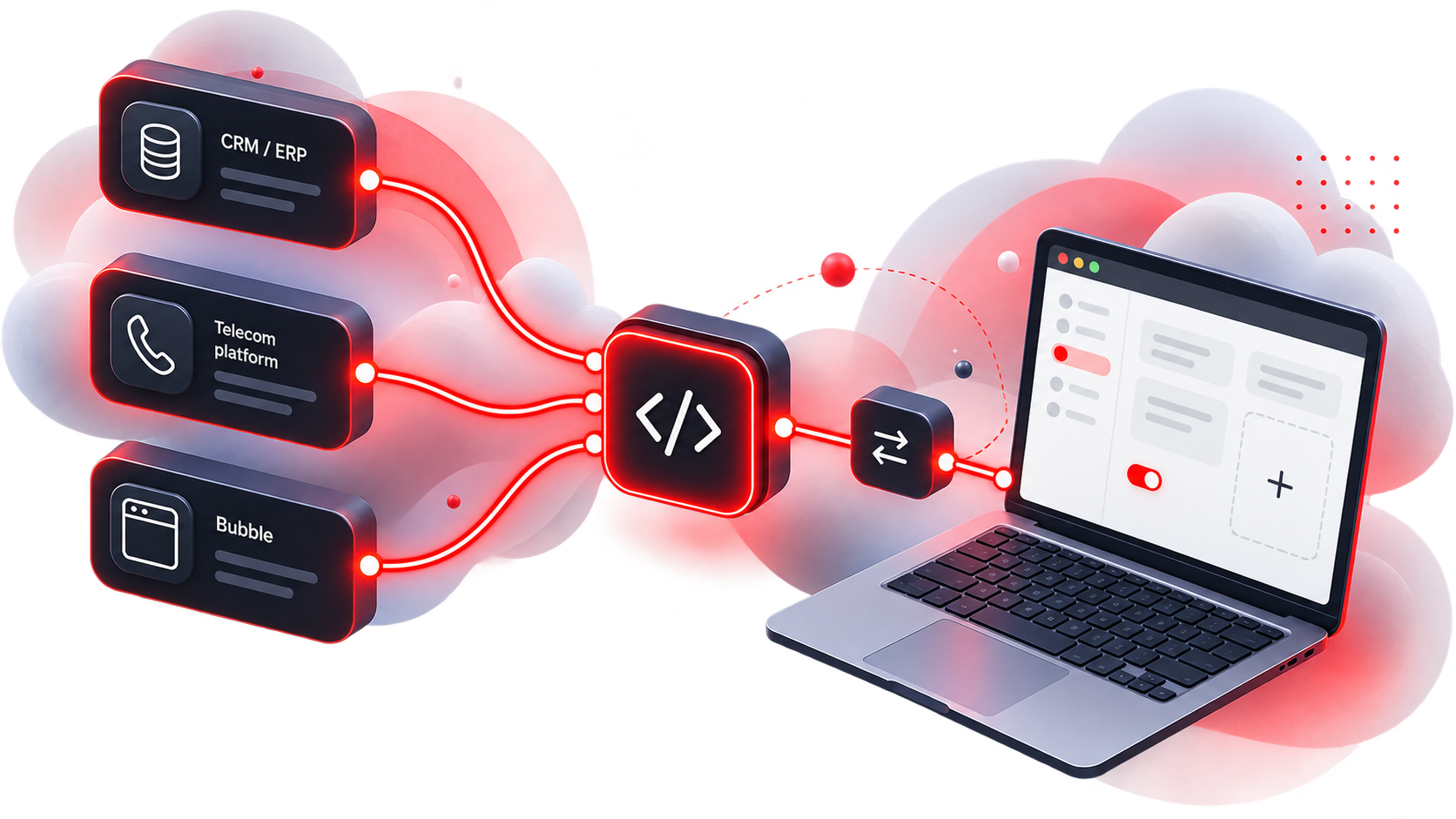
Want to integrate your telephony platform with Bubble? Red Cactus offers several options. Red Cactus can develop the integration based on the technology available within your platform, or you can develop the integration yourself using the Universal Phone Connector. Once integrated, the telephony platform is directly compatible with all CRM and ERP integrations within the Red Cactus ecosystem. The Bubble and Bubble365 Apps can also be used in combination with the telephony platform. Does the telephony platform support embedding external applications within its own softphone? In that case, Bubble365 can also be fully integrated into the interface of the telephony platform or softphone, as Red Cactus has already done with other telephony platforms. Contact Red Cactus to discuss the possibilities for your telephony platform.
One platform. Endless integration possibilities.
Integrate your telephony platform yourself with the Universal Phone Connector
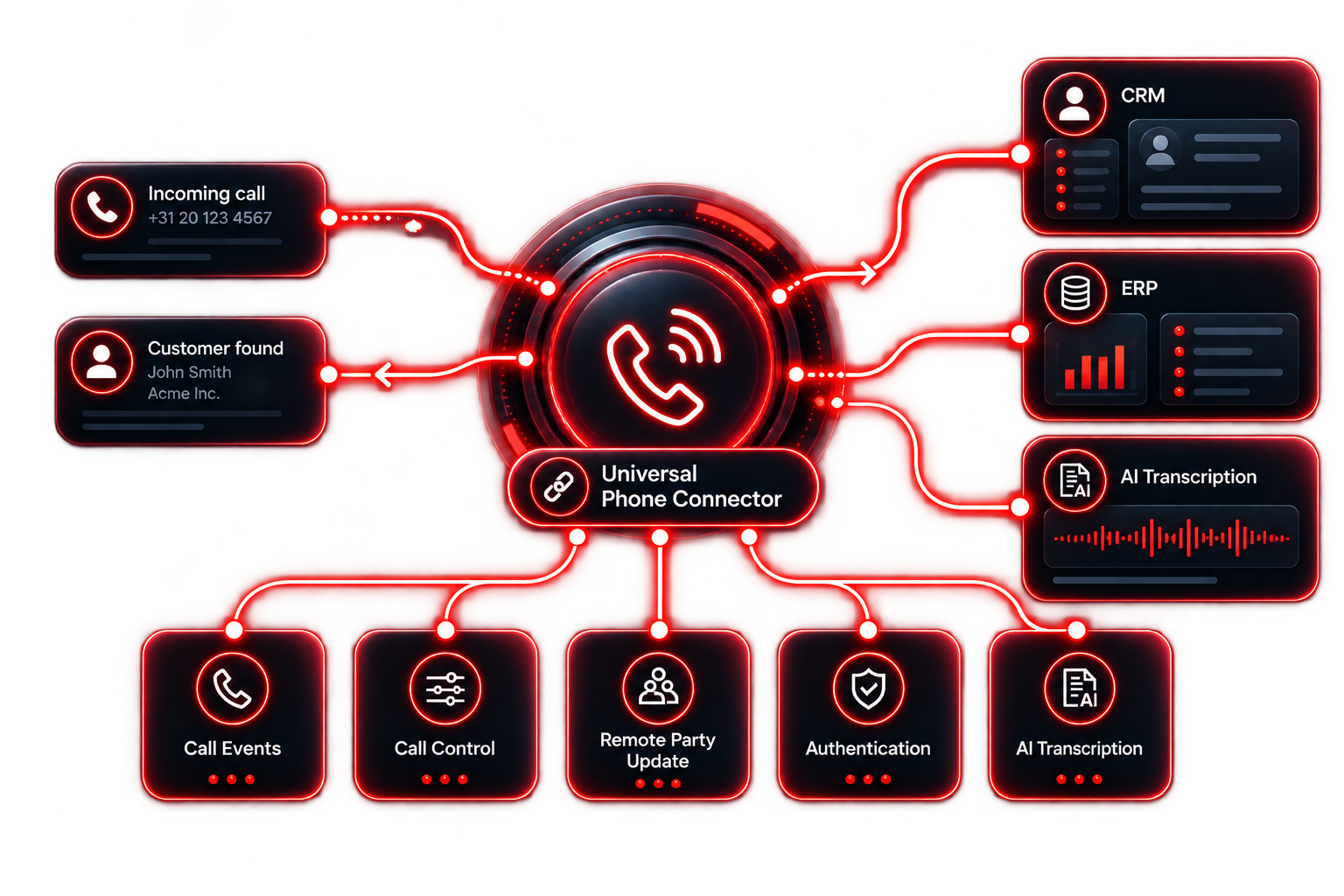
With the Universal Phone Connector, a telecom provider can develop its own integration between its telephony platform and Bubble. The Universal Phone Connector can be used with various telephony platforms and is the only supported integration method for Asterisk-based telephony platforms. Through a single generic integration, the telephony platform becomes part of the Red Cactus ecosystem and is directly compatible with the CRM and ERP integrations supported by Red Cactus. The Universal Phone Connector supports incoming and outgoing calls, call events, call transfers and, if supported by the telephony platform, advanced Call Control functionality. In addition, if available, AI call transcription summaries from the telephony platform can be processed and, for example, added to call logs in the connected CRM or ERP system. The integration is developed by the telecom provider based on the technical specifications of the Universal Phone Connector. After approval and signing an NDA, Red Cactus provides the required technical documentation and implementation plan. Red Cactus then supports the integration and testing process, after which the telephony platform can be made available within the Red Cactus ecosystem.
For the integration to function correctly, Bubble must be kept informed in real time of the different events that occur during a call. The Universal Phone Connector uses Call Start, Call Update and Call End events to track the status and information of a call throughout the entire call flow. The integration must support at least incoming and outgoing calls. Transferred calls must also be handled correctly, both for blind transfers and attended transfers. This takes into account the different users involved in the call throughout the call flow. The technical documentation includes various scenarios for incoming and outgoing calls and both types of call transfers.
When supported by the telephony platform, Call Control can be added alongside receiving call events. This allows users to control telephony functions directly from Bubble, Bubble365 or a connected CRM or ERP application. The Universal Phone Connector supports outbound calling, answering, hanging up, hold, resume, blind transfer, attended transfer and DTMF. For each call, the telephony platform can indicate which Call Control functions are available at that moment. This allows the available telephony functions to vary by platform and even by call status, without requiring different integrations on the Bubble side.
With Remote Party Update, Bubble can send information found during a CRM lookup back to the telephony platform. For example, the name of a matched customer or contact can automatically be displayed on a softphone or desk phone. When information is available from multiple CRM integrations, Bubble can send multiple results back to the telephony platform as a list. This allows CRM information to be used not only within Bubble, but also to be made directly available within the user interface of the telephony platform.
If the telephony platform provides AI call transcription summaries, these can also be processed within the Red Cactus ecosystem. This can use the AI capabilities of the telephony platform itself or a connected third-party solution. After the call, the available transcription summary can be processed via the Activity Hub and automatically added to the call log in the connected CRM or ERP system.
The integration with the telephony platform is identified using a unique client ID and client secret. Call events are linked to the correct Bubble user based on the user extension or email address provided by the telephony platform. For Call Control, Bubble sends additional user information, allowing the telephony platform to link the command to the correct customer and user.
After approval of the Universal Phone Connector and signing an NDA, Red Cactus provides the technical documentation. This contains the specifications and scenarios required to develop the integration, including call events, Call Control, authentication and the various call flows. The telecom provider then develops the integration based on these specifications in a sandbox environment. Once development is complete, the various call flows and agreed functionality are tested together with Red Cactus. Successfully completing these tests is required before the integration can be moved from sandbox to production. After approval, the telephony platform is made available within the Red Cactus ecosystem.
Have Red Cactus integrate your telephony platform
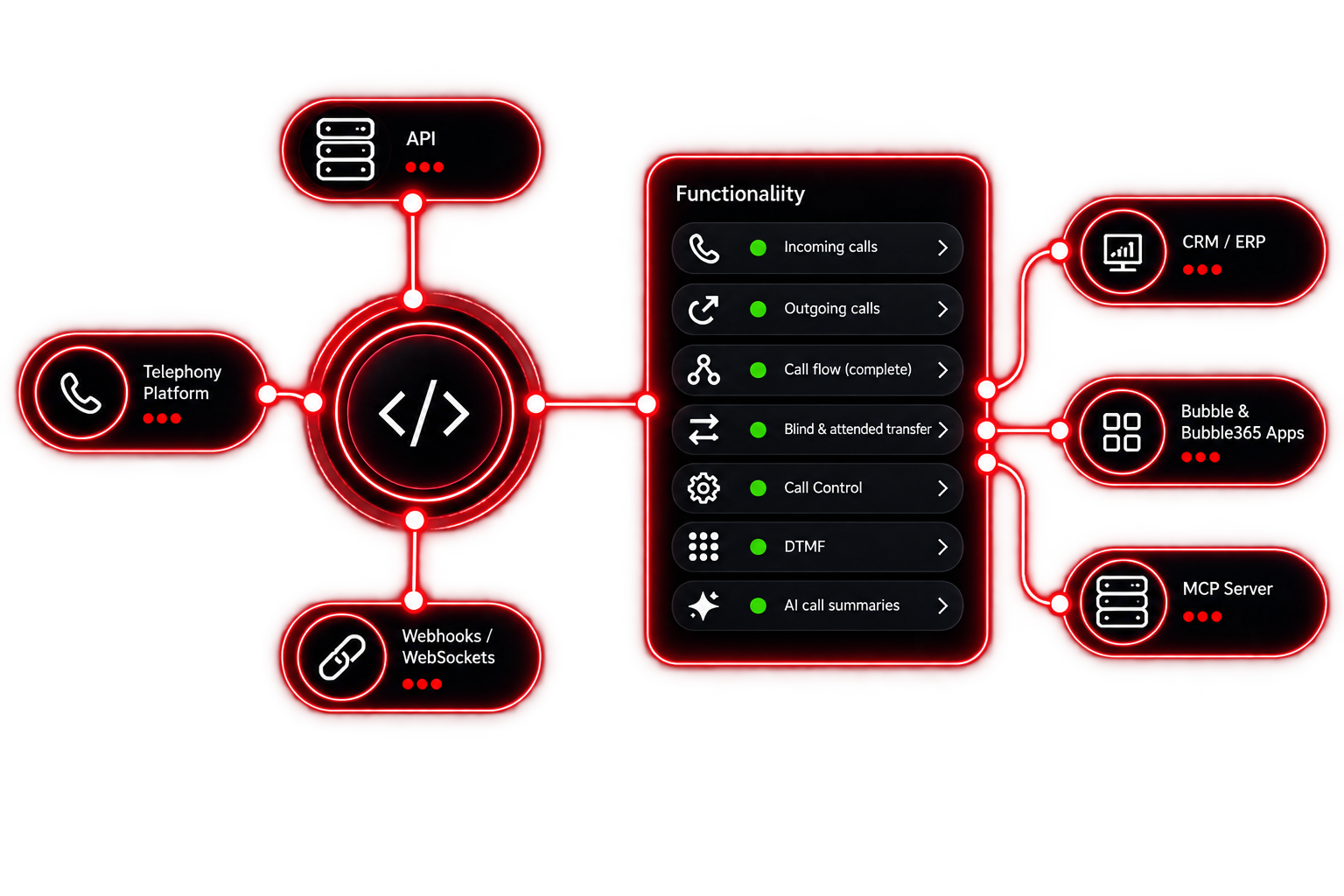
Red Cactus can develop a generic integration with your telephony platform and add it to the Red Cactus ecosystem. Red Cactus adapts to the technology and APIs available within the telephony platform. Once integrated, the telephony platform is directly compatible with the CRM and ERP integrations and Bubble and Bubble365 Apps supported by Red Cactus. Adding a new telephony platform follows a straightforward process and is available for a fixed development contribution. After ordering and receiving the required technical documentation and a suitable test environment with at least 2 users and a phone number, the integration is added to the public roadmap. The average time to release is then 3 months. Does the telephony platform support embedding external applications within its own softphone or user interface, for example through an SDK or extension framework? In that case, Bubble365 can also be integrated directly into the telephony platform, allowing users to access Bubble365 functionality from within their own softphone,as Red Cactus has already implemented with several telephony platforms. For the most complete integration possible, Red Cactus evaluates the available options for features such as real-time call events, Call Control, authentication and AI call transcription summaries. The technical requirements and desired functionality are explained in more detail in the following tabs.
To develop a telephony integration, Bubble must be able to communicate with the telephony platform in real time. Red Cactus adapts to the technology and APIs available within the platform. This is typically done using a REST API in combination with webhooks or WebSockets for real-time call events, although other communication protocols are also possible. For authentication, the preferred method is OAuth 2.0 at user level, allowing each user to authorize individually. If this is not possible, authentication can be configured at company level. The correct telephony user can then be matched based on, for example, an email address, extension or another unique parameter provided by the telephony platform. For a complete integration, the telephony platform must provide at least the required real-time call events for incoming and outgoing calls and the various call flows, including blind and attended transfers. Where available, additional functionality such as Call Control and AI call transcription summaries can also be integrated.
For a complete integration, Red Cactus supports various telephony functionalities. The foundation consists of incoming and outgoing calls and correctly handling the entire call flow, including blind and attended transfers. When supported by the telephony platform, Call Control can also be added. This allows users to make outbound calls, answer and end calls, put calls on hold and resume them, perform blind and attended transfers, and send DTMF directly from Bubble, Bubble365 or a connected CRM or ERP application. If the telephony platform provides AI call transcription summaries, these can be processed via the Activity Hub and, for example, automatically added to the call log in the connected CRM or ERP system.