
Add a new CRM
Integrate your CRM or ERP application with Bubble
Would you like to connect your CRM or ERP application with Bubble? Depending on the type of application, there are several options available. For a custom-built application, we provide standard integration tools that allow you to build the integration yourself. Are you using a widely used CRM or ERP application? Red Cactus can develop the integration and make it generally available within our ecosystem.
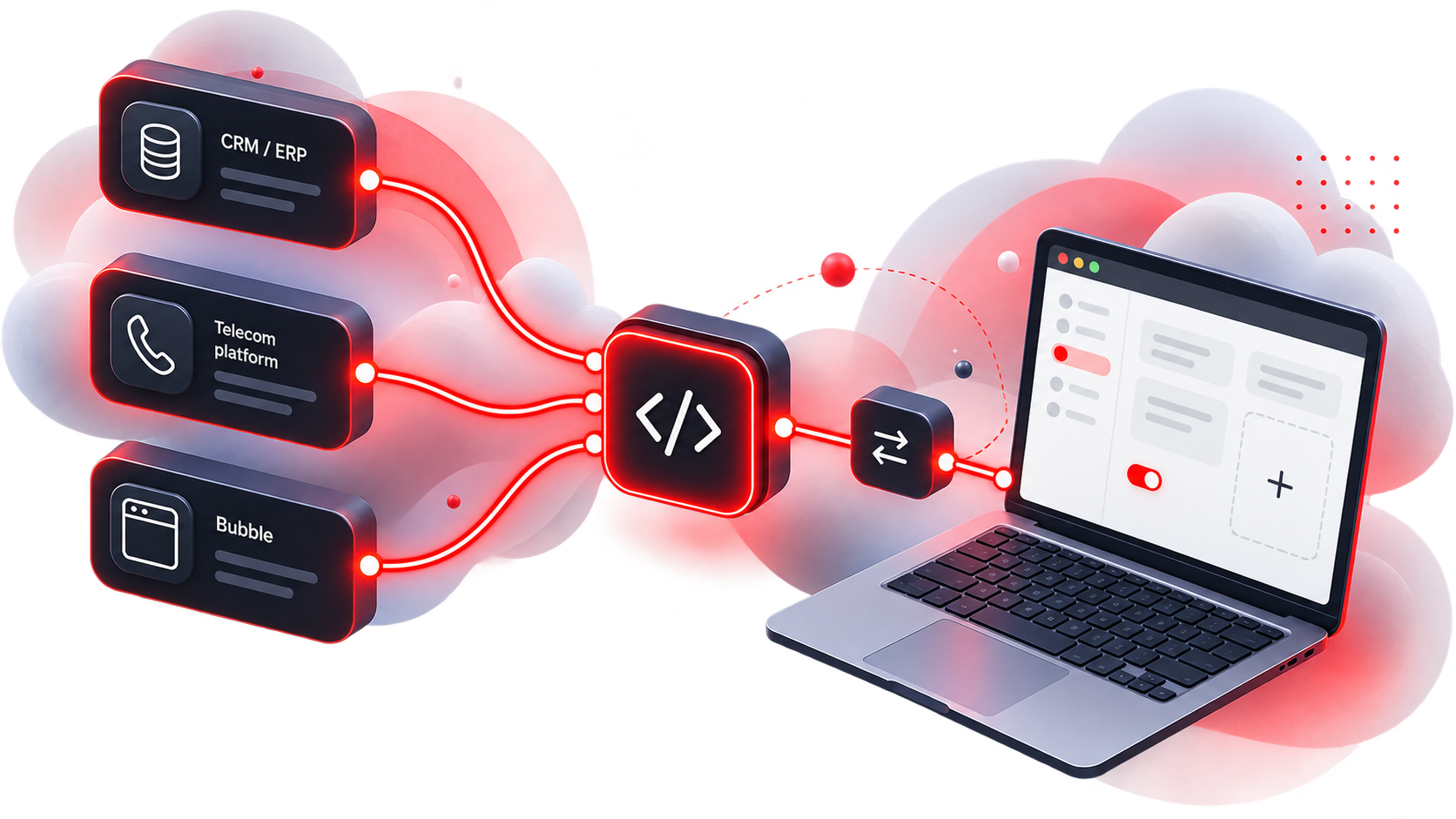
One platform. Endless integration possibilities.
Connect your bespoke application to Bubble yourself
Red Cactus focuses on generic CRM and ERP integrations and therefore does not develop customer-specific integrations. For bespoke applications, we offer various standard integration tools that allow you to build your own integration with Bubble. The following tabs outline the possibilities for each integration tool. These tools work with all telephony platforms supported by Red Cactus and are compatible with all our Bubble and Bubble365 Apps. Would you like to integrate Bubble into your own user interface? With the Bubble365 iFrame, you can embed Bubble365 directly into your own web application. All described integration tools are included as standard with a Bubble Desktop or Bubble Cloud licence, so no separate licence is required.
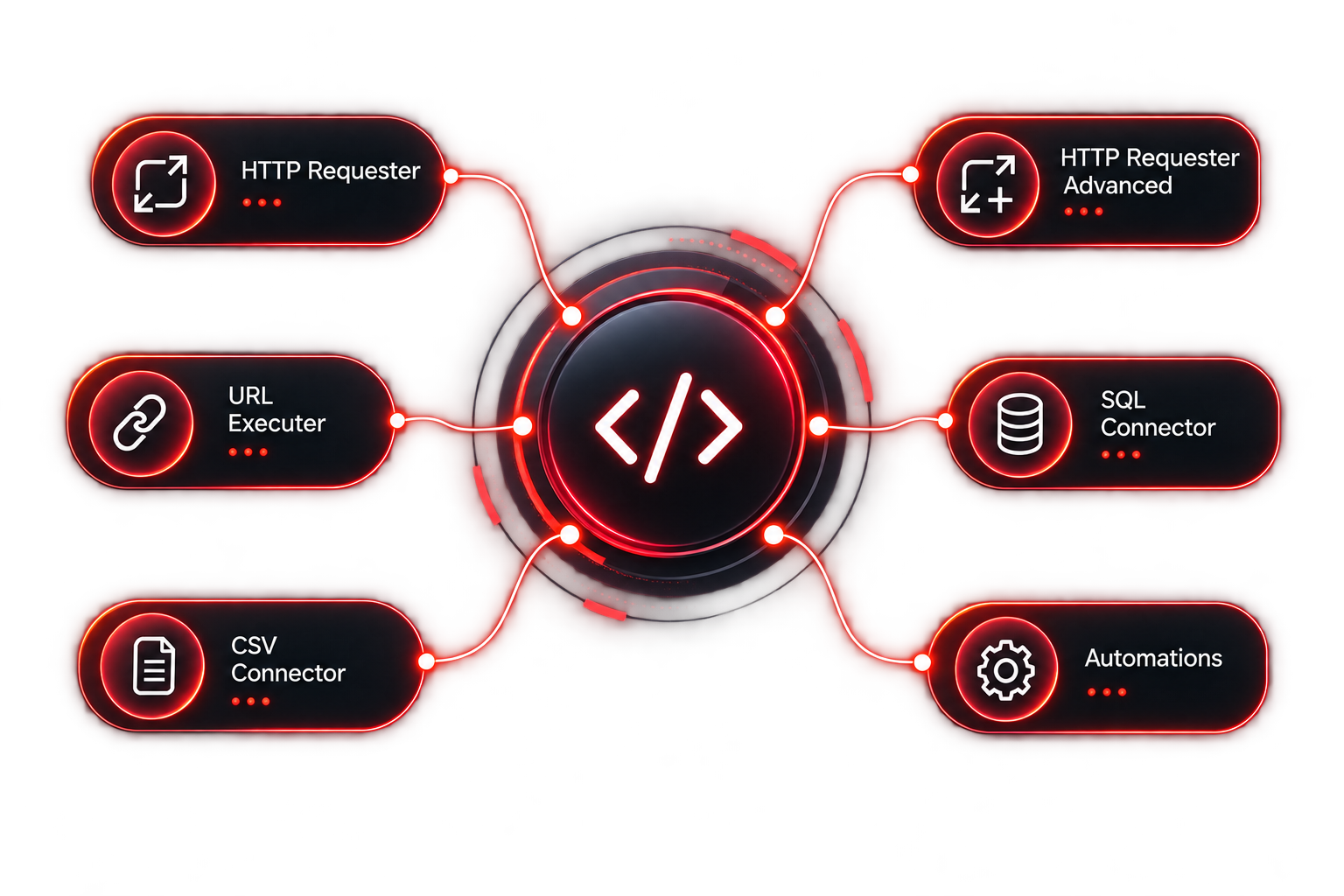
With the HTTP Requester, you can build your own integration between Bubble and your CRM, ERP or other business application. Using GET, POST and PUT requests, Bubble can retrieve data and send information to your application. For example, you can retrieve customer data for display in the Bubble pop-up and automatically process call logs and call notes in your own application after a call has ended. You can also configure up to four custom buttons in the Bubble pop-up for specific actions, such as opening a custom URL or executing an .exe. If authentication is required, a token can be included in the URL. Outbound calling: Outbound calls can also be initiated directly from your own application. Bubble supports Click-to-Dial via hyperlinks using tel:, callto:, dial: or phone: before the telephone number. This allows users to click a telephone number in the CRM or ERP, after which Bubble initiates the call.
With the HTTP Requester Advanced, you can build a more advanced integration between Bubble and your CRM, ERP or other business application. You determine which endpoints Bubble communicates with and can configure separate actions for retrieving and sending information, for example for a lookup or processing call logs. For each action, you can define conditions that determine when it is executed. This allows you to send different requests based on a call event, such as an inbound or outbound call. Each action consists of an HTTP method and URL and can be extended with HTTP headers, for example to include an access token. For lookup requests, Bubble expects the data to be returned in a predefined JSON format. For actions where information is only sent, the server response is not processed. Call logs, call notes and, when available, AI call transcription summaries can also be sent from Bubble to your own application. A successful lookup is required so that the call information can be linked to the correct search result. Information returned via the HTTP Requester Advanced can also be displayed in the Bubble pop-up and used to configure your own actions.
Outbound calling: Bubble also supports Click-to-Dial, allowing users to initiate a call directly from a CRM or ERP application or another website. If a telephone number is not clickable, Bubble also supports Hotkey Dial and Copy-to-Dial.
With the URL Executer, you can automatically trigger websites, applications and scripts from Bubble at different stages of a call: Call Start, Call Answered and Call End. You can distinguish between inbound and outbound calls, allowing you to determine exactly when a specific action is executed. HTTP and HTTPS URLs can be called in the background if required, without opening the user’s browser. This allows you to use the URL Executer, for example, to automatically pass information or trigger actions in an external application during a call. When Bubble is used solely as a gateway, other Bubble functionalities can be disabled.
Outbound calling: Outbound calls can also be initiated directly from your own application. Bubble supports Click-to-Dial via hyperlinks using tel:, callto:, dial: or phone: before the telephone number. This allows users to click a telephone number in the CRM or ERP, after which Bubble initiates the call.
With the CSV Connector, you can easily make data from a CSV file available in Bubble without requiring an API or database connection. Simply select the CSV file and specify which column or columns contain the telephone numbers. Bubble can then use this data to look up the corresponding contact for inbound and outbound calls and display the available information in the pop-up. The data from the CSV file can be used to configure the content and actions in the Bubble pop-up. For example, you can launch an application, execute an .exe or open a custom URL directly from the pop-up.
Outbound calling: Outbound calls can also be initiated directly from your own application. Bubble supports Click-to-Dial, as well as Hotkey Dial and Copy-to-Dial when a telephone number is not directly clickable.
With the SQL Connector, you can build your own integration between Bubble and a MySQL, Microsoft SQL or ODBC database. You can create your own queries and determine which data Bubble retrieves directly from one or more tables. A database account with read permissions is required. For inbound or outbound calls, Bubble can automatically search the database for the corresponding telephone number and display the retrieved information in the pop-up. If telephone numbers are stored in different formats, Bubble can automatically run the same query for multiple number formats and combine the results. You can also configure a custom query for the SearchBar, for example to search by name or company name. The retrieved data can then be used to configure the content and actions in the Bubble pop-up.
Outbound calling: Outbound calls can also be initiated directly from your own application. Bubble supports Click-to-Dial, as well as Hotkey Dial and Copy-to-Dial when a telephone number is not directly clickable.
With Automations, you can build your own If This, Then That flows within Bubble. Using one or more conditions, you determine when an automation is triggered, after which Bubble can automatically perform one or more actions. For example, you can open a contact record, answer a call, execute a script or trigger another action. For more complex scenarios, you can combine conditions using AND and OR logic. As one of the available Then That actions, you can also trigger external automation platforms such as Microsoft Power Automate, Zapier or IFTTT. This allows you to use events from Bubble as part of much more extensive workflows and automations.
Let Red Cactus develop your CRM integration
CRM and ERP applications used by multiple organisations can be developed by Red Cactus as generic integrations and added to our Marketplace. This makes the application part of the Red Cactus ecosystem and compatible with all telephony platforms we support and our Bubble and Bubble365 Apps. Through our MCP Server, the CRM integration can also be made available to AI agents and other AI applications. Adding a new integration follows a straightforward process and is available for a fixed development contribution. Once the order has been placed and we have received the required documentation and access to a suitable test environment, the integration is added to our public roadmap. The average lead time to release is then 3 months. Does the CRM provide options for embedding external applications within its own interface, for example through an SDK or extension framework? In that case, we can also integrate Bubble directly into the CRM, as we have already done with several CRM platforms
To develop a telephony integration, Bubble needs to be able to communicate with the CRM or ERP application. Preferably, this is done via an API, as Bubble retrieves real-time data during inbound and outbound calls and can also send information back to the CRM or ERP, such as a call log including an AI call transcription summary when available. In most cases, we use a REST API, although other communication protocols are also possible. For authentication, we support various methods, such as OAuth 2.0, where each user authorises individually, or authentication using an API key. The endpoints required depend on the capabilities and functionality of the CRM or ERP application. For the most complete integration possible, we preferably work with the endpoints described below.
Bubble can also be used as a gateway for CRM and ERP applications that have their own telephony module. In this setup, Bubble handles the technical communication between the application and the connected telephony platform in the background. The standard Bubble interface, such as the pop-up notification, can be disabled, allowing users to work entirely within their own CRM or ERP environment. With a single Gateway integration, the application gains access to all telephony platforms supported by Red Cactus, without the need to develop separate telephony integrations for each platform. Functionalities such as inbound and outbound calls, status changes and other telephony actions can be handled through Bubble.
Call logging: Bubble sends the required call events to the CRM or ERP application and can also register a call log after the call has ended. For this, it is preferable for the CRM or ERP application to provide a suitable endpoint. Through this endpoint, the call log can also include the AI call transcription summary when available from the telephony platform. The technical requirements can be found below under ‘Call logging endpoint’.
Outbound calling: Outbound calls can be initiated directly from the telephony module of the CRM or ERP application. Bubble receives the request and forwards it to the connected telephony platform, eliminating the need for a separate integration with each telephony platform.
Bubble offers various options for developing a generic integration with a CRM or ERP application. Although a real-time API integration is our preferred approach, we can also use other methods depending on the technical capabilities of the application, such as the HTTP Requester, SQL Connector or URL Executer. Different technologies can be combined within a single integration where required. Additional security requirements, such as mutual TLS (mTLS), can also be supported. The Bubble pop-up can be configured with up to four action buttons, for example to open a customer record or perform another action within the CRM or ERP. These actions can, among other things, execute an .exe or open a URL with specific parameters. If required, keystrokes can also be simulated.
Outbound calling: Bubble supports Click-to-Dial from CRM and ERP applications. Telephone numbers can be provided as clickable hyperlinks using tel:, callto:, dial: or phone: before the telephone number. Depending on the application, other methods for supporting outbound calling are also available.
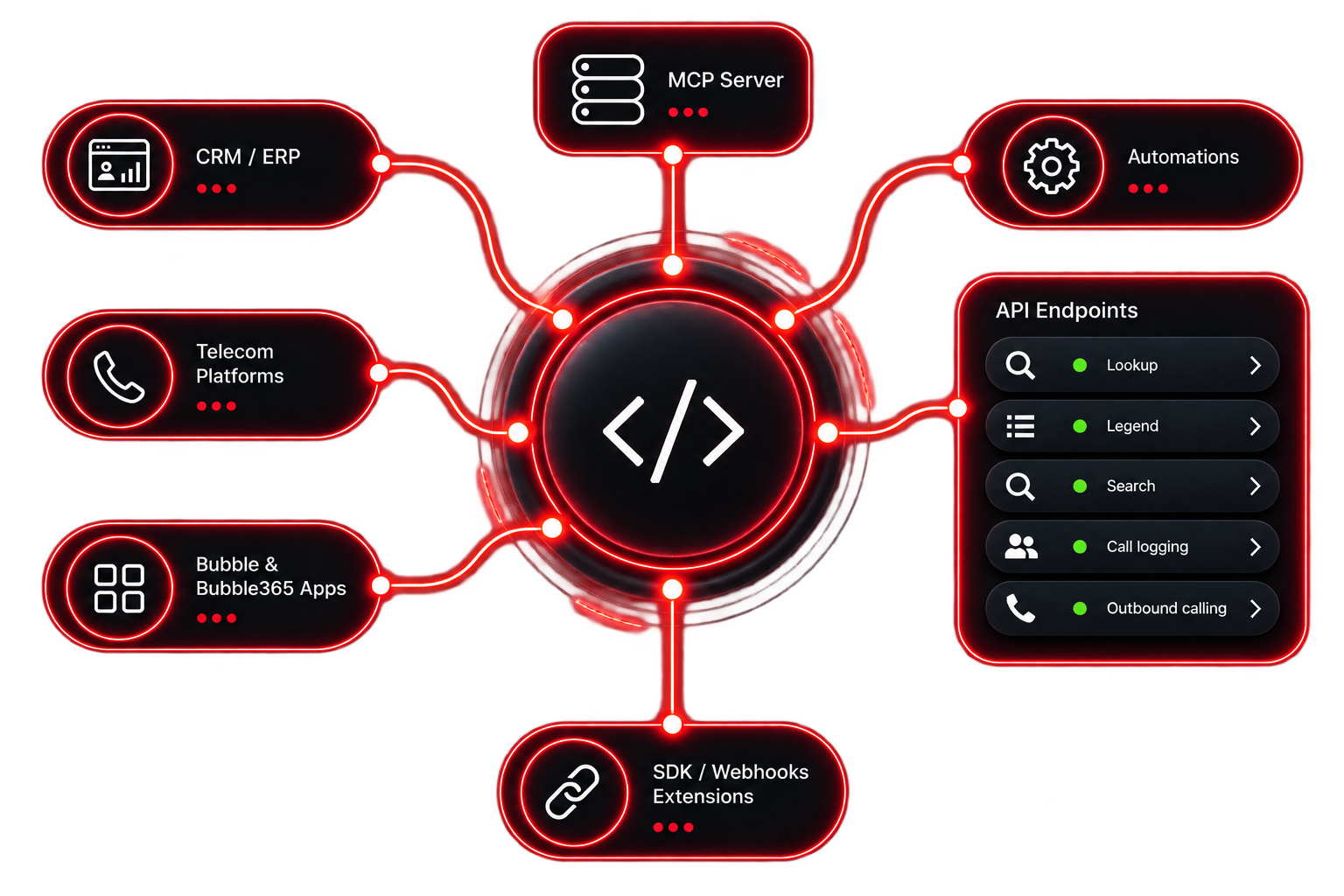
Required endpoints for a standard API integration
Via the lookup endpoint, Bubble can search for customers, contacts or other relations based on a telephone number. Preferably, Bubble sends the telephone number in a single standardised format, such as E.164 (+31612345678), after which the API returns all corresponding matches. If searching using a single standardised format is not possible, Bubble can also send multiple possible number formats, for example +31612345678, 0612345678, 06-12345678 or +31 (0) 6 12345678. For each result found, we preferably receive parameters such as name, entity ID, entity type (for example customer or contact), a direct link to the relevant record in the CRM or ERP application, and relevant contact details. Depending on the capabilities of the application, additional parameters can be included.
Via the legend endpoint, Bubble retrieves an overview of all available parameters that can be returned through the lookup endpoint. Bubble uses this list to show the available fields to the user, allowing them to configure which parameters are displayed in the pop-up.
Via the SearchBar endpoint, Bubble can search for customers, contacts or other relations based on a search parameter, such as name, telephone number or other available data. The API then returns all corresponding matches. For each result found, we preferably receive parameters such as name, entity ID, entity type (for example customer or contact) and other relevant parameters available within the CRM or ERP application.
After each answered call, Bubble can automatically send a call log to the CRM or ERP system. The following parameters are available from Bubble:
-
-
call_id – unique ID of the call
-
telephone number
-
call direction (in / out)
-
answered (true / false)
-
call duration (hh:mm:ss)
-
call start time (timestamp)
-
note – a note entered by the user during the call. If available, the AI call transcription summary from the telephony platform can also be included in this field
-
entity ID found via the lookup endpoint, allowing the call log to be linked to the correct relation
-
Other parameters returned by the lookup endpoint can also be included. This allows the call log to be linked to the correct entity in the CRM or ERP system.
Bubble supports Click-to-Dial, allowing users to initiate an outbound call directly from the CRM or ERP application. Telephone numbers should be clickable via a hyperlink using, for example, tel:, callto:, dial: or phone: followed by the telephone number.